Trézor.io/Start — Starting Up™ Your Device | TreZor®®
Discover Trezor.io/start as a starting point for configuring your Trezor hardware wallet and learning about secure digital asset management.
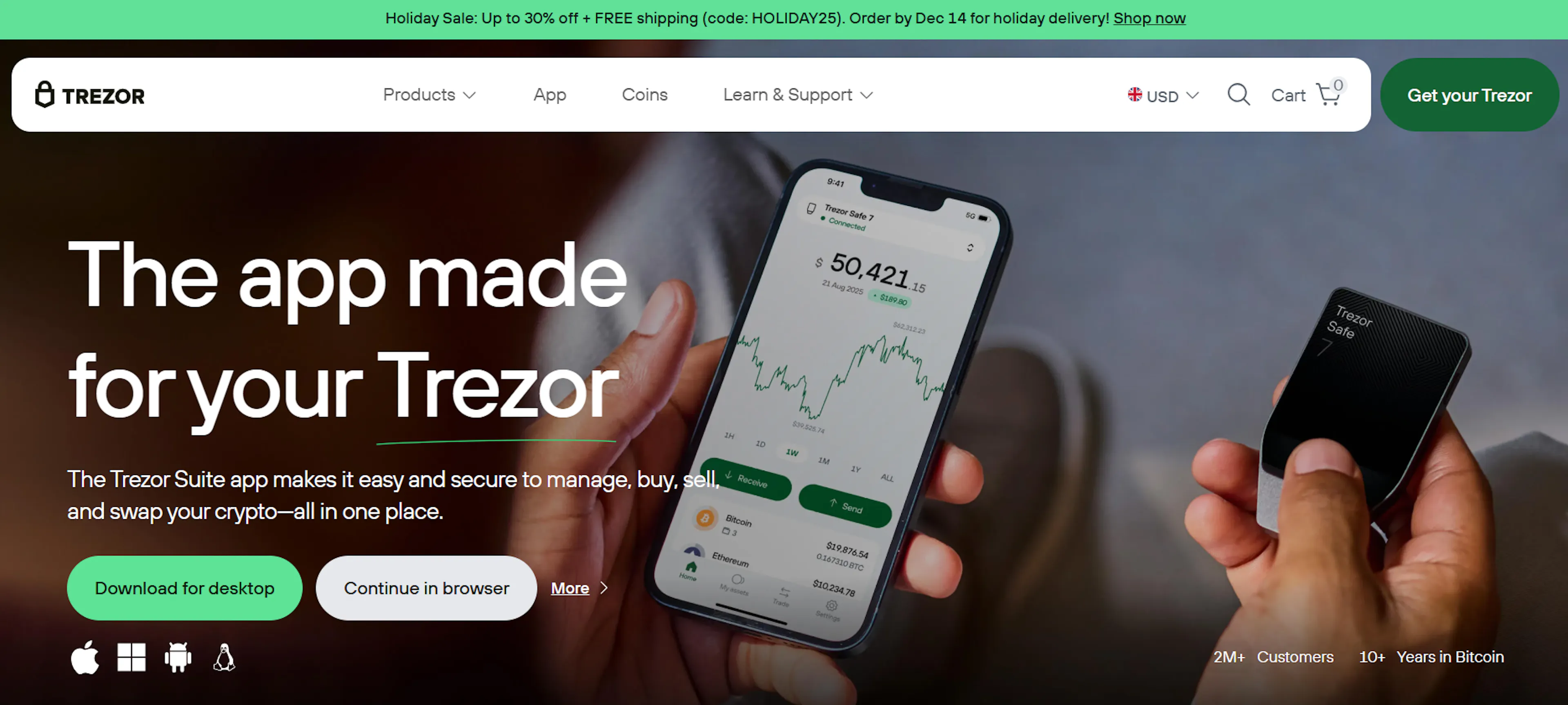
Trezor.io/start: The Complete Guide to Setting Up and Securing Your Trezor Wallet
Introduction to Trezor.io/start
Managing cryptocurrency securely begins with understanding how your digital assets are protected. A hardware wallet provides an additional layer of security by keeping private keys isolated from everyday online activity. Trezor.io/start is the official starting point for users who want to set up a compatible Trezor hardware wallet and learn how to manage it using the recommended software.
From connecting your device to creating a wallet and protecting your recovery backup, the setup process introduces the essential steps for getting started. Following the official instructions can help beginners and experienced cryptocurrency users configure their devices correctly.
What Is Trezor.io/start?
Trezor.io/start is the official Trezor setup resource. It provides device-specific guidance for initializing a compatible hardware wallet, accessing Trezor Suite, and completing the initial configuration.
The setup process may include:
- Connecting your hardware wallet to a compatible computer.
- Checking the authenticity of your device.
- Installing or updating device firmware.
- Creating a new wallet or recovering an existing one.
- Setting up and securely storing recovery information.
- Accessing supported cryptocurrency-management features.
Using the official setup resource helps you avoid imitation websites and unofficial software downloads.
Why Use a Trezor Hardware Wallet?
A Trezor hardware wallet is designed to protect private keys on a dedicated physical device. It allows users to manage supported cryptocurrency accounts while reviewing important transaction details on the device itself.
Key advantages include:
Private Key Protection: Private keys are kept within the hardware wallet rather than being exposed through ordinary computer activity.
Transaction Verification: Review transaction information on the device before approving supported transactions.
Convenient Account Management: Use Trezor Suite to access and organize supported cryptocurrency accounts.
Recovery Options: A recovery backup can help restore wallet access if your device becomes unavailable.
Device Security Features: Compatible models provide device-specific security and configuration options.
Supported assets and features depend on the hardware model and software compatibility.
How to Set Up a Trezor Wallet at Trezor.io/start
Step 1: Visit the Official Website
Open your browser and manually enter Trezor.io/start. Carefully verify the website address before downloading software or following setup instructions.
Step 2: Connect Your Trezor Device
Connect your compatible hardware wallet using a suitable USB data cable. Follow the instructions displayed on the device and the official setup page.
Step 3: Install or Open Trezor Suite
Access Trezor Suite through the official instructions. If you choose the desktop application, download it directly from an official Trezor source.
Step 4: Verify Your Hardware Wallet
Complete the authenticity checks recommended during setup. These checks help confirm that your device is genuine and ready for configuration.
Step 5: Install the Required Firmware
If your device requires firmware installation or an update, follow the instructions provided by the official software. Keep the device connected until the process is complete.
Step 6: Create or Recover Your Wallet
Choose whether to create a new wallet or recover an existing one. Follow the instructions for your specific device and carefully complete the backup process.
Step 7: Open Your Cryptocurrency Accounts
Once setup is complete, use Trezor Suite to add supported accounts, review balances, and explore available wallet-management features.
Explore the Main Features of Trezor Suite
Trezor Suite is the companion application designed to work with compatible Trezor hardware wallets.
- Portfolio Overview: Review balances and monitor supported digital assets.
- Account Management: Organize cryptocurrency accounts in one interface.
- Send and Receive: Prepare supported cryptocurrency transactions.
- Transaction History: Review previous transactions and account activity.
- Device Management: Access supported settings and device information.
- Security Guidance: Find relevant information about protecting your wallet.
The available functions may vary depending on your device, operating system, and supported cryptocurrency networks.
Important Security Practices Every User Should Follow
Setting up your device correctly is only the beginning. Protecting your recovery information and reviewing transactions carefully are equally important.
- Keep your recovery seed private and store it offline.
- Never share recovery words with another person or customer-support representative.
- Never enter your recovery seed into an unfamiliar website or application.
- Download Trezor Suite and firmware only from official Trezor resources.
- Check transaction addresses and amounts directly on your hardware wallet.
- Keep your computer and wallet software updated.
- Avoid suspicious emails, advertisements, and messages requesting wallet information.
Important: Your recovery seed can provide access to your wallet. Anyone who obtains it may be able to control the associated funds. Never disclose it.
Troubleshooting Common Trezor Setup Problems
Device Not Detected: Check the USB connection, try another compatible data cable, and use a different USB port.
Firmware Installation Error: Follow the official troubleshooting instructions for your specific Trezor model.
Trezor Suite Not Opening: Check your operating system compatibility and make sure you downloaded the application from an official source.
Wallet Recovery Questions: Consult the official recovery instructions for your device. Never share your recovery words while seeking assistance.
Frequently Asked Questions
1. What is Trezor.io/start?
It is the official starting page for setting up compatible Trezor hardware wallets.
2. Is Trezor Suite necessary?
Trezor Suite is the companion application used to manage supported accounts and access available wallet features.
3. Can I use Trezor with multiple cryptocurrencies?
Trezor supports various cryptocurrencies, depending on the hardware model and software compatibility.
4. What happens if I lose my hardware wallet?
You may be able to restore access using your recovery backup and a compatible recovery process.
5. Is my recovery seed safe to share with support?
No. Never share your recovery seed with anyone, even someone claiming to represent Trezor.
Conclusion
Trezor.io/start provides the official instructions needed to begin using a compatible Trezor hardware wallet. By verifying your device, installing the appropriate software, completing wallet configuration, and securely storing your recovery backup, you can establish a reliable foundation for managing supported digital assets.
Take your time during setup, use trusted software, and review every transaction directly on your hardware wallet. Consistent security practices are essential for protecting your cryptocurrency over the long term.